Door Stoppers / Pinch Guards for Your Classroom
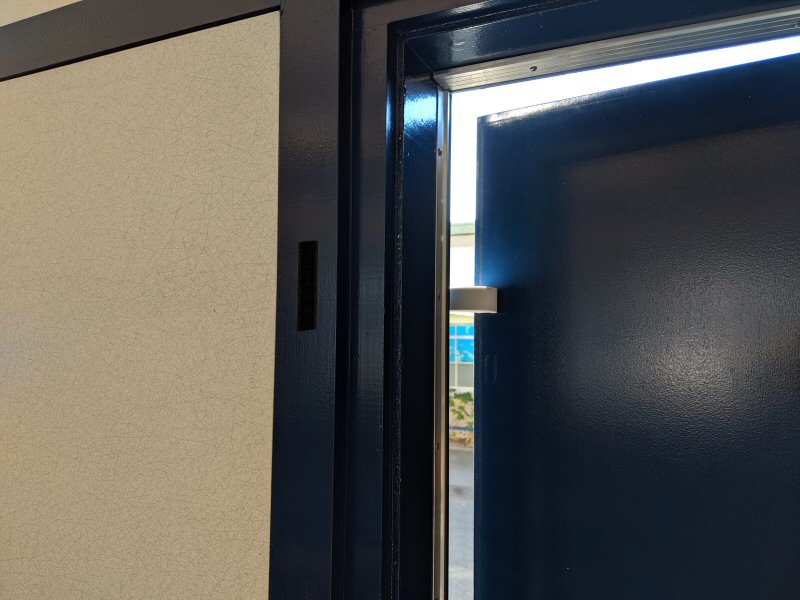
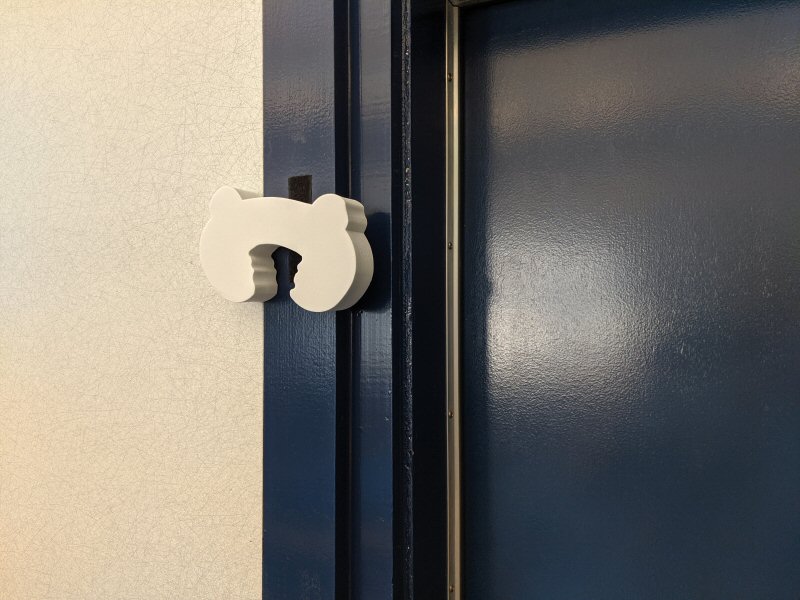
Problem: At my school, I often want to keep my heavy, automatically-locking door open just a crack so I and the kids can get back in. Using a traditional wedge door-stop works but it often gets stepped on, kicked or misplaced. Now I use these pinch guards. When not in use, I use Velcro (AKA hook and loop fasteners) on the wall to keep them close-by. All-in, they cost less than $4 per door and they work very well!

Pinch-guard

Self Adhesive Hook and Loop Tape (Velcro)

Some tips and notes:

  • Use long pieces of Velcro on both the pinch-guard and the doorway, it makes it easier to stick them to the wall quickly.
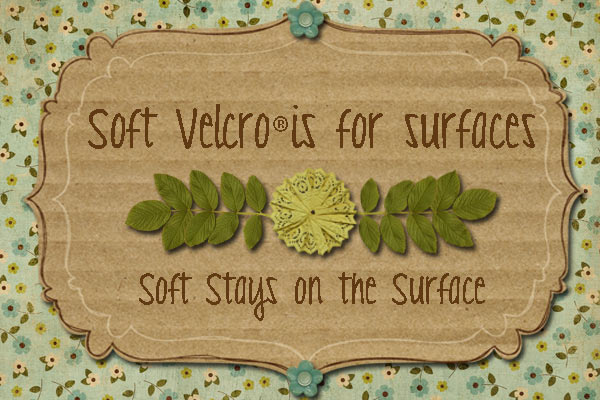
  • For the Velcro, remember to put the “soft on the surface“. It makes it easier to feel the rough part on the pinch guard and it’s good to establish that as the norm in your room, you can stick objects onto fabric (a good stand-in for soft Velcro).
  • The glue on the velcro didn’t hold to the pinch guard perfectly so I added staples.
  • I had tried similar, popular horseshoe-shaped pinch guards but they didn’t work well on my thick door with a strong closer.
  • It’s nice that this white pinch guard is easy to see on the door from a distance. Regular doorstops can be hard to see.
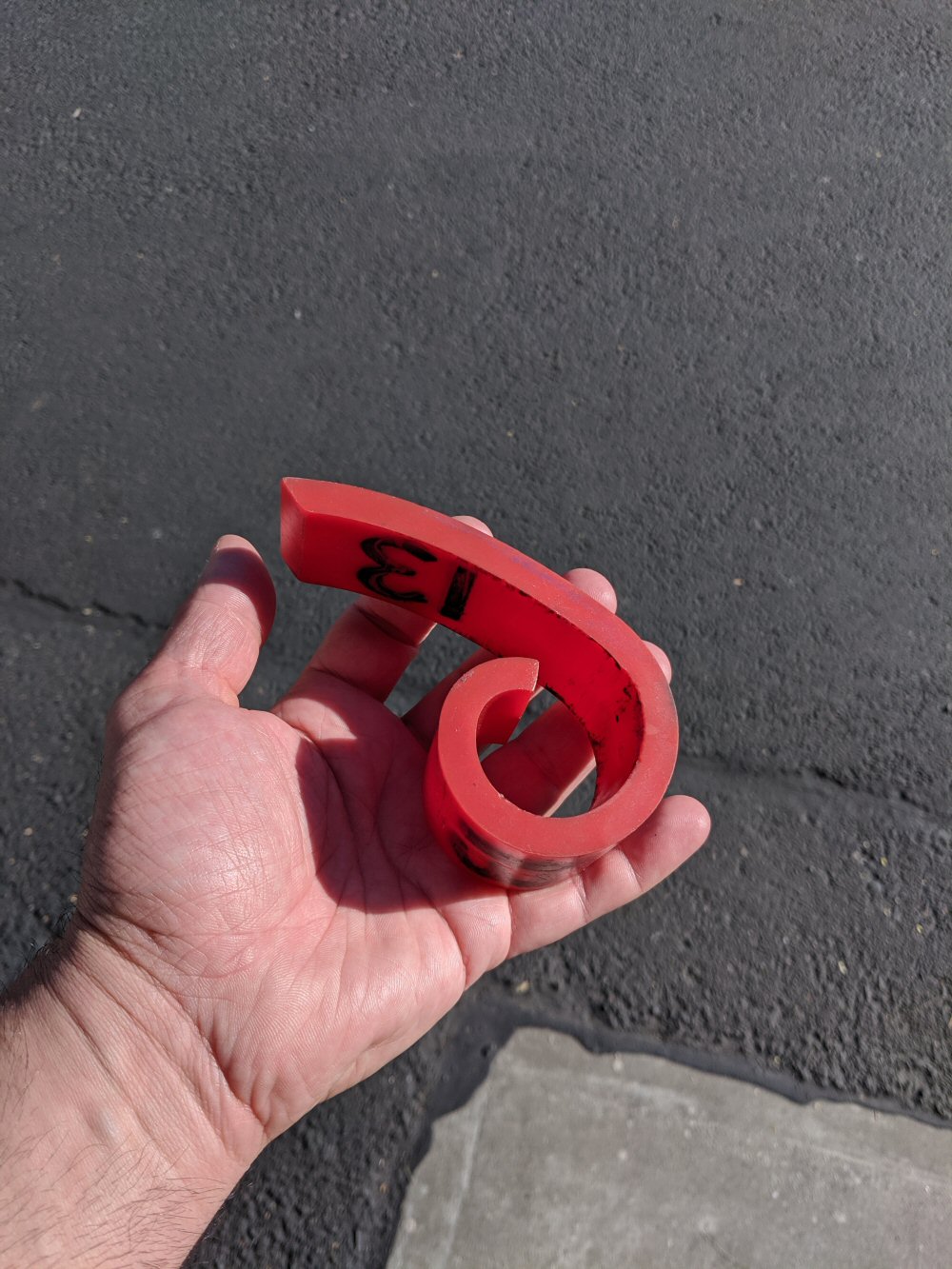
 

Update 10-29-19: These pinch guards are standing up to normal use but not rough abuse from my students in my classrooms. A student doesn’t have to be strong to tear it apart. I’ve come across a very sturdy rubber-plastic door pinch-guard but I don’t know where to buy more! Where can I buy more of these? They were apparently provided for all the classrooms when one of my schools was renovated in ~2007. See the photo to the right. This doorstop would be too heavy to hold in place with velcro so maybe the solution above is best.
Keyboard and Mouse Blocking Software for Your Classroom

The problem: In some of the classrooms I work in, students sometimes interrupt computer presentations on the teacher’s computer by randomly hitting the the keyboard.

The solution: A free Windows software utility. With it, the keyboard and mouse can be easily locked and unlocked with a special key combination, for example: Ctrl-Alt-F. This makes their computer immune to “fly-by” keyboard tapping. When the behavior doesn’t get the frustrated attention it used to, it is quickly extinguished.

You can find the software here: BlueLife KeyFreeze v1.4

Just in case, here is a local copy of the Bluelife KeyFreeze 1.4.

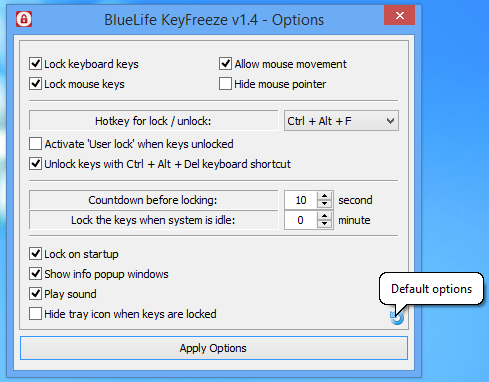
I tried several other keyboard & mouse lockers and this one was clearly the best. KeyFreeze is free software. It works great “out of the box” but you may want to change a few options from the icon on the system tray. I turned off the cute lock/unlock music and customized it a little.

Installing it takes a couple steps (I’m not complaining, it’s totally free software!), I’ll walk you through it.

1 – Download and unzip BlueLife  KeyFreeze

2 – It doesn’t run an installation program, it just runs when you double-click on it. It’s not good practice to run the program from my “Downloads” folder so I copied all the files to a new folder named C:\Programs\Keyfreeze

3 – You should make it start automatically when Windows starts. Here’s how to do that: Go to the C:\Programs\Keyfreeze folder and create a shortcut to KeyFreeze_x64.exe by right-clicking on it. Hit Win+R. Type “shell:startup” to open up the Windows startup folder. Drag the shortcut you just made into that folder. Done!

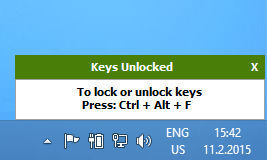
Now, when you want to freeze the keyboard and mouse, just hit Ctrl-Alt-F. To unfreeze, do it again.


For difficult classroom situations, you might want to disable the touch-screen and the “turn computer off when closing the lid” features. Here’s how:

– On my computer, to disable the touch-screen I hit the Windows key, type “Device manager”, find “Human Interface Devices”, find the “HID Compliant touch screen”, click the “driver” tab, click “Disable Device”. You can re-enable the touch screen by coming back to this page and clicking “Enable Device”

– To disable the “Turn off the computer when closing the lid” feature, hit the Windows key, type “change what closing the lid does”, change “When I close the lid” to “Do nothing”.

I’d love to hear in the comments if this software was useful in your classroom!


This Will Destroy You

I’ve become an enthusiastic yet strangely melancholic fan of the band This Will Destroy You, this post-ambient, syncopated, instrumental rock band. Their music makes me feel like I’m being gently smothered by a giant tabby cat while sleeping, only for me to leap up, gasping for the most delicious breath of my life. Oh yeah.

Let’s see them together on February 8th in Berkeley, CA at The Cornerstone!

Here’s one of their cat-breath-stealing hits https://www.youtube.com/watch?v=fbszJJr9I9U


Which way does velcro go?

As an occupational therapist, I attach all kinds of things with Velcro. It’s also known as hook and loop fasteners. I use Velcro for PECS cards, game cards, attaching stuff to my door, First-Then cards, and lots of other stuff. I asked myself, “What is the best way to mount Velcro?” Do the hooks/rough side go on the wall or the object?

Here’s the rule that I follow… the Velcro rule!

“Soft goes on the surface.”

Why?

  • If you put the hooked side on the hand-held object, the picture, or whatever, then you can attach that object to felt, cloth, or headliner material
  • Holding the rough side gives the user good tactile feedback. That makes it a little easier to figure how to place the object onto the soft side.

By picking one standard, all your items become compatible with one another. So even if you don’t have an immediate need, everyone is better off sticking to the standard “Soft goes on the surface.”

(I have to thank The Practical AAC for advice on this and the image!)


Looking for Noisy-environment speech recognition microphone

Please help me find a good noisy-environment speech recognition microphone. I have students that want to use speech-to-text in their classroom, the microphone should pick up the student’s voice but not stray voices in the room. Best if it’s on a headset.

Butchart Gardens Fireworks Are AMAZING

Megan, Abigail and I just saw the summer fireworks show at The Butchart Gardens near Victoria, BC. It was an even more beautiful show than we had seen 5 years ago on our honeymoon! The show is a gorgeous, playful, exposition of light-art, part representative, part interpretive, all pleasurable! A youtube search turns up some nice displays at Butchart Gardens but be forewarned that no fireworks show well on a screen.

I spoke with a few people in Victoria, BC about this and they said that Canadians use fireworks differently than Americans.  American fireworks are almost universally a monosyllabic ejaculation of sound and color while Canadians use it as a medium. Curious! Wonderful!


One Weird Trick

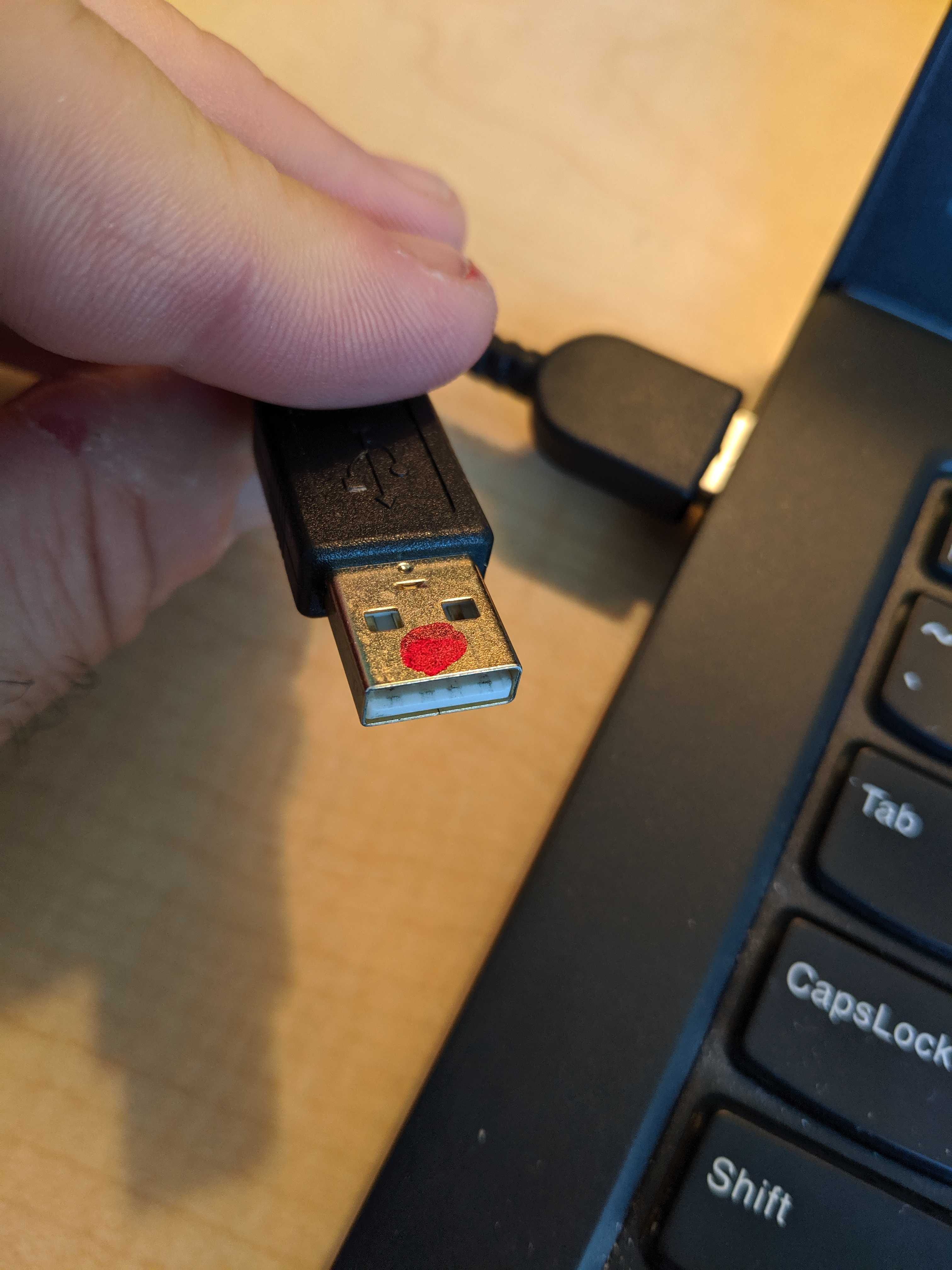
How did it take me 20 years to figure out this “one weird trick” to know which way is up on a USB cable? All hail the sharpie clown nose!


Cheap Cell Phones

Don’t buy a cheap cell phone, buy a used flagship phone! I was never really happy with the new $150 LG Charge android phone I got a year ago. I just got a used Pixel 2 from swappa.com for $190 and it’s a wonder! Fast, awesome camera (I got it pretty much exclusively so I could take better photos of Abigail), and a lot of nice features. Hurray and hurray!

Birthday Potluck

For my birthday I asked for a potluck party. It was fantastic! We had some 20 friends and we were able to spread out in our big place on the little hill. The food was so much fun, the energy level great. There are definite plans to do this monthly-ish!


El Cerrito Library

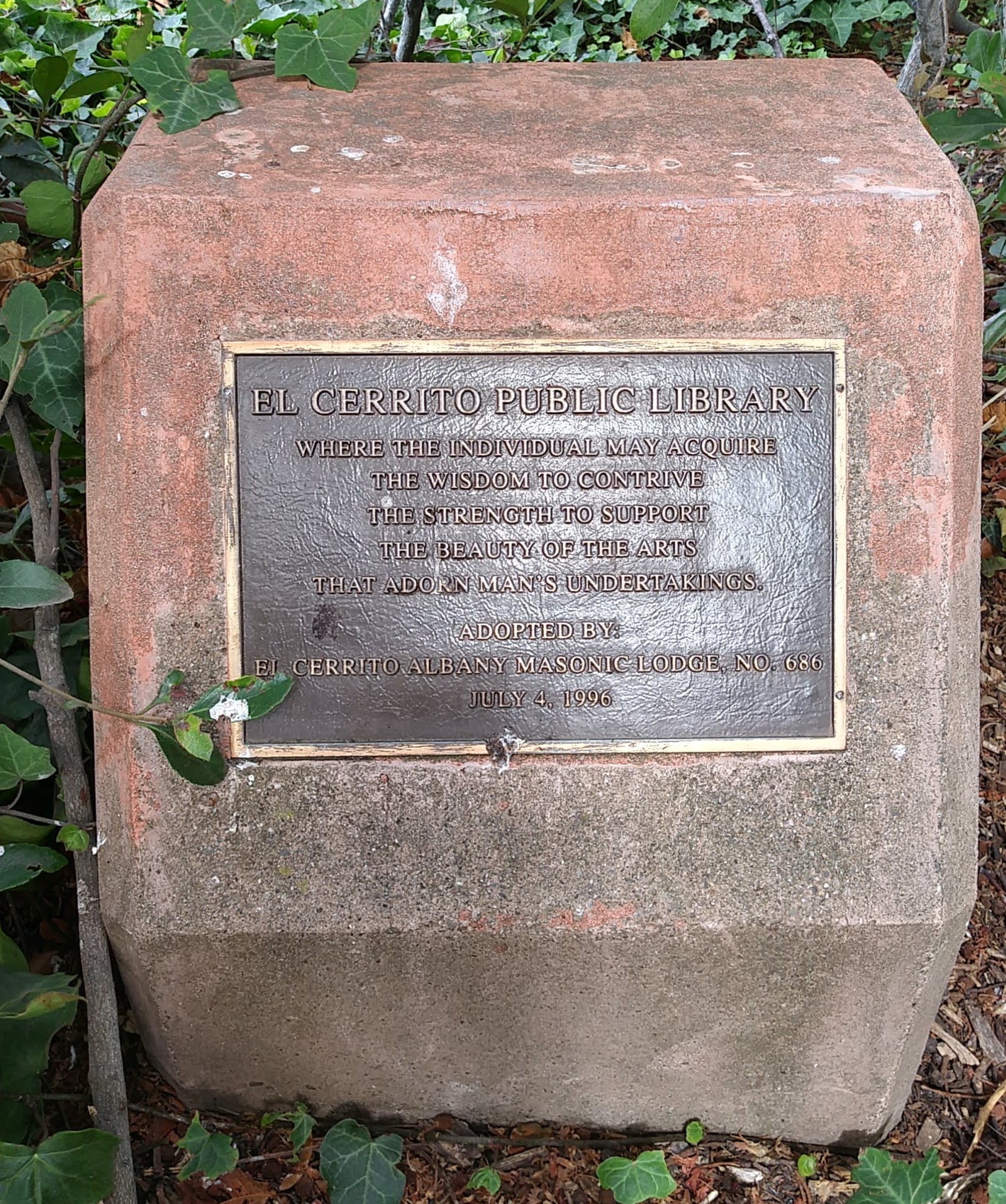
I like the plaque in front of the El Cerrito Library

El Cerrito Library
Where the individual may acquire
the wisdom to contrive
the strength to support
the beauty of the arts
that adorn man’s undertakings

Adopted by: El Cerrito Albany Masonic Lodge No 686
July 4, 1996

At my first reading aloud to Abigail, I saw it all spinny-aroundy:

Where the individual may
acquire the wisdom
to contrive the strength
to support the beauty
of the arts
that adorn
man’s undertakings

Possibly full of beautiful hidden meaning, or just my tired brain.