BuzzKill Notification Manager: Make Android Google Calendar Alarms Louder
I’ve been struggling with this one for a while but I finally have a solid solution!
I found an app that makes my Google Calendar alarms more prominent! The problem being that the standard Google Calendar Alarm on my android phone is a simple “Ding”. Changing that sound to be longer isn’t any good because then I’ve got a long-playing alarm that I can’t turn off! What I needed was a loud, dismissable alarm-style notification.
The beautiful Buzzkill Notification Manager app does it! It uses very few permissions, is as crazy-straightforward as it can be, and, most importantly, it works!
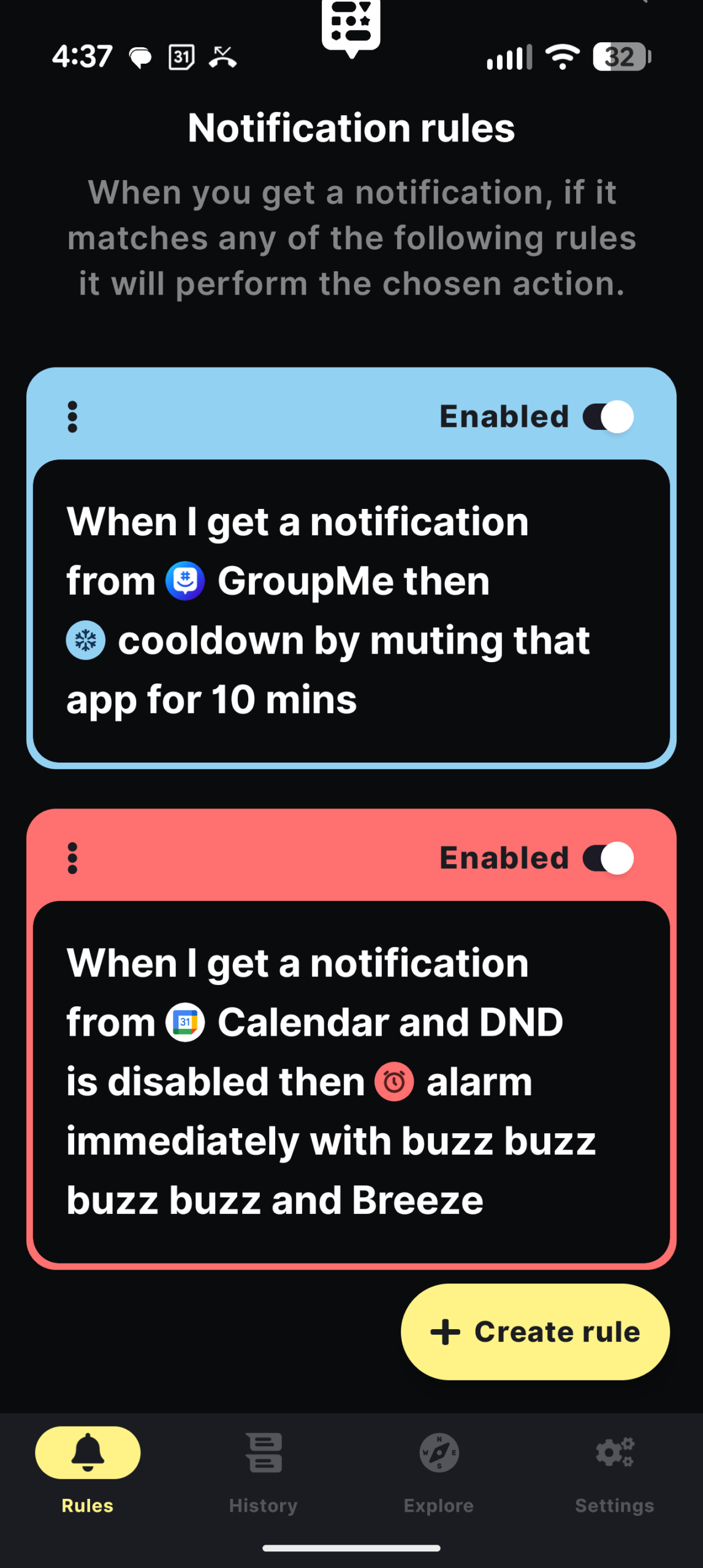
It keys off of Google Calendar Notifications. So you’ve got to make your notifications correct. Here’s an example:
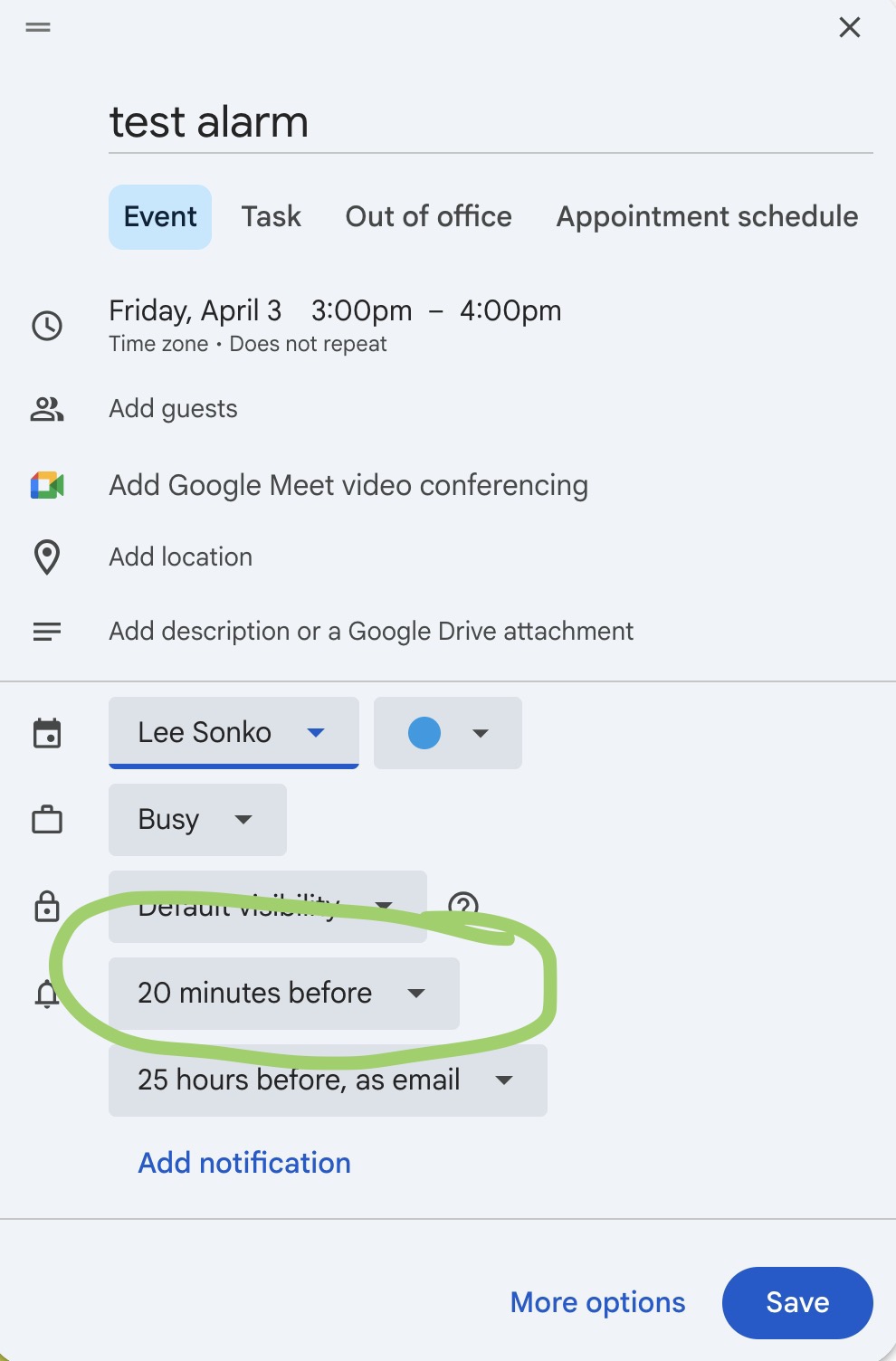
Screenshot
Before Buzzkill, I had been using Calendar Alarm Clock Reminder by zzappbros for several years. A while back, it started misbehaving, I could tell the app “ring n minutes before every event”. But I couldn’t tell it “ring when the Calendar notification rings” (like what I do just above). This mostly worked for me, but not really.
I recently tried the ZenLendar app but there was a snafu with permissions (that’s been resolved), but in the meantime, I found Buzzkill and I’m happy with it!!
Two pluses is that Buzzkill requires few Android permissions and it is made by a reputable presence on the internets, Sam Ruston. Thanks, Sam!
The next adventure is to make it so Google Calendar Alarms can be created from within Obsidian. I know it’s possible with some plugins but I’m not there yet. (I’ve become a big fan of Obsidian!!)